

- Client
- Ultimate Knowledge Institute / CYBERCOM
- Role
- Lead product designer
- Duration
- 2 months, through Sprint Zero
- Platform
- Web / Windows
Built from the original lab designer. The moving traffic is illustrative.
Summary
An enterprise learning platform with a virtual lab inside it. Trainers build the network, write the lesson and assess the skill in one authoring system.
Lead product designer for two months, through Sprint Zero: the canvas lab designer, the page and exercise workbenches, and the design system beneath them. I worked with cybersecurity subject-matter experts, training specialists and the development team.
The challenge
Hands-on skills need a network to practice on.
As threats evolve, cybersecurity staff need realistic environments to test and build their competencies. Traditional learning falls short of real practice with complex network topologies and diverse operating systems.
The brief: an enterprise learning management system with an integrated, highly configurable virtual lab, for upskilling existing staff and verifying the competencies of new joiners.
By design
The canvas lets authors break the network on purpose. Diagnosing and fixing it is the skill being taught.
Inside the studio
Author the environment and the assessment together.
Lessons, assessments and virtual labs share one authoring system: the same window, the same editing patterns, the same way of inspecting what you built.
Build a situation worth solving.
Trainers compose containers, virtual machines and networks on the canvas, then inspect a machine without losing the topology around it.
Try it yourself. Drag a segment or the router. Select a machine. Right-click it for its actions. Add from the library.Tap a machine to inspect it. Zoom with the plus and minus. Rebuilt in code from the original screens, with their words and generic sample data; changes stay in your browser.
Underneath
Make complex content dependable.
- 01
Make competency coverage visible.
A question can count toward several competencies, each with its own weight. Grouping questions by competency shows coverage, and any target not yet met, beside the settings that decide it.
- 02
Take an error back to its context.
Validation separates errors, warnings and successful checks. Each finding names its asset and the content around it, so an author can find an empty block, an incomplete quiz or a broken lab route.
- 03
Make shared versions understandable.
A project can use a published asset while a colleague edits its next version. The status dialog names that newer draft and explains the wait for it to publish.
One system
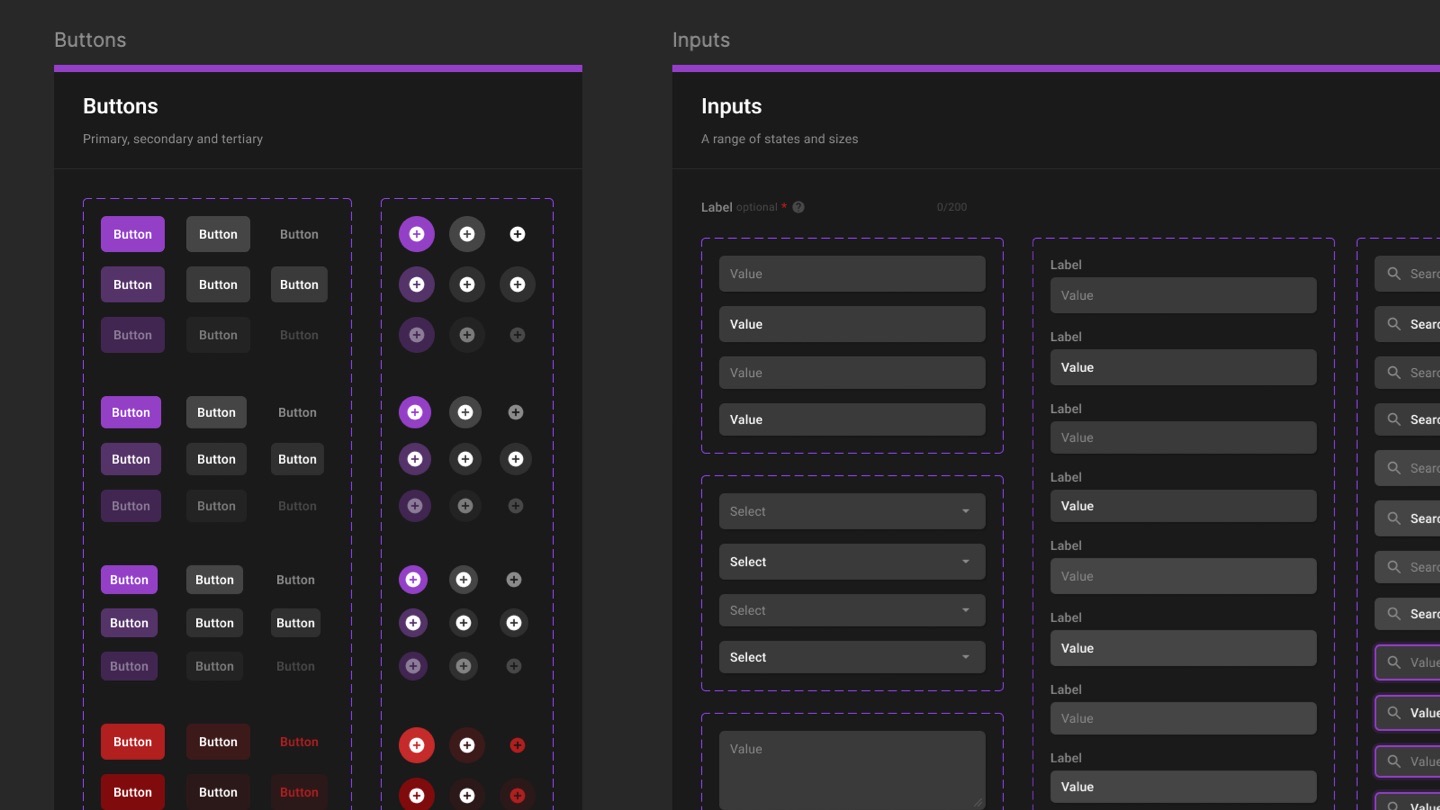
for every workbench.
Buttons, inputs, status, steppers, and an abstract content card that every block type builds on. I created the design system beneath the product.
Outcome
Designed in two months and completed in Sprint Zero, the studio went to development as one authoring system for labs, lessons and assessments.
Credits
- Role
- Lead product designer
- Work
- Canvas lab designer, page and exercise workbenches, design system
- Worked with
- Cybersecurity subject-matter experts, training specialists, the development team
- Client
- Ultimate Knowledge Institute / CYBERCOM
- Duration
- 2 months, through Sprint Zero
- Tools
- Figma, FigJam, Miro
The interfaces on this page are rebuilt in code from the original screens, with their own words; image names and sample data are generic. The opener’s moving traffic is illustrative.