Reflow
From source documents to requirements and a plan.
Product designer, freelance · Conversation, workspace, prototypes · OngoingWhat Reflow doesProject Name: Peregrine handheld thermal camera
Program Owner: Dana Okafor
Peregrine is a handheld thermal camera for field maintenance crews. It pairs a Lepton 3.5 core with a rugged enclosure and a phone app for image transfer.
The camera operates from −10 °C to 45 °C. Battery chemistry: Li-ion, 18650 cells.
To be determined.
Peregrine, the sample project in my prototypes. Illustrative motion.
Summary
Hardware teams start from a messy pile: briefs, datasheets, spreadsheets, call notes. Reflow is an agent that reads the pile with them and turns it into requirements, level by level, and the plan they build from, each requirement tied to where it came from. I design how that conversation works, so the engineers stay the experts.
Freelance product designer with Reflow’s product and engineering team. I designed the integrated conversation-and-workspace model, wrote the agent’s behavior rules with product, and built the HTML prototypes we review and turn into engineering tickets.
Who it’s for
Teams that make physical things.
Machined parts, printed parts, electronics and welded assemblies: the work that a specification and a plan have to hold together.

What Reflow does
Reflow meets users where they are.
Upload the source documents, and Reflow breaks them down into requirements and a project plan.
- 01The chat agentReads the team’s files, asks only what they can’t answer, and asks again before it changes anything.
- 02The requirements hierarchyStakeholder, product, system and component requirements, drafted level by level from the sources.
- 03The planPhases, milestones and owners in one chart. Reflow re-plans a shared draft; people save the versions.
- 04The traceOne requirement and everything a change to it would reach, with who owns each part.
01The chat agent
It reads the pile, then asks only what the files can’t answer.
Dana adds four files and asks for requirements. Reflow says what it read, asks the few things only the team knows, in a drawer above the composer so answering is just replying, and asks again before a new source changes anything already agreed.
Release 0.19, flow C, and the integrated build. Peregrine, the prototypes’ sample project.
02The requirements hierarchy
Requirements in the team’s own levels, drafted one level at a time.
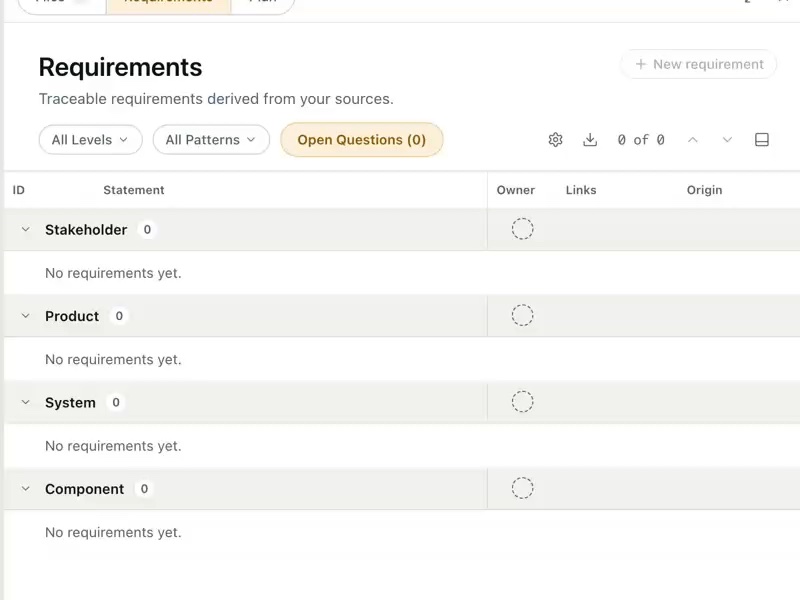
Reflow writes stakeholder, product, system and component requirements into one levels table, and drafts each level only when the team asks for it. Every requirement keeps where it came from: who stated it, which file it cites, which requirement above it it serves.
- 01The levels become the tableDana picks Stakeholder → Product → System → Component. Each level is a band in one table, empty until it’s drafted.
- 02Drafted level by level, when askedReflow drafts a level only when the team asks, and says in the chat what traced and what it left untraced.
- 03Every requirement keeps its sourceWho stated it, which file it cites, what it links to. CMP‑229 was stated, and comes from the teardown.
Release 0.19, flow C, with the consistency audit’s refinements (C6). Peregrine sample data.
03The plan
A plan with versions: Reflow drafts the changes, and a person saves them.
Phases, milestones and the dependencies between them in one chart, with an owner and a status on every task. Reflow re-plans into a working draft everyone shares and says what changed; only a person saves a version, and every version names who saved it.
- 01Reflow re-plans into the draftAsked what a call changed, Reflow moves the dates, adds a certification phase and says what it did. The draft is shared, and not yet saved.
- 02Every version names who saved itSaved versions sit under the working draft, each with who saved it and when, so the team can see what the plan was and who agreed it.
- 03Only a person saves a versionDana saves the draft as V5. Reflow’s edits wait in the draft; it never saves a version itself.
Release 0.18, flow F (plan versions), with the consistency audit’s refinements. Saving and viewing versions shipped in Reflow 0.17. Peregrine sample data.
04The trace
Pick one requirement and see everything a change to it would reach.
Before anyone changes a requirement, the Trace shows every level it touches, up to the stakeholder need and down to the parts, and who owns each one. One requirement at a time, never a graph of the whole project, and every card can say why it exists and where it came from.
- 01Asked in the chatDana asks what CMP‑229 links to. Reflow answers with how far a change would reach and who owns it, and offers the Trace.
- 02Up and down the levelsOne requirement and everything it reaches: every level up and down, its links across its own level, and the owner on every card.
- 03Why, and from whereA card’s details give the reasoning and the source: SYS‑116 is the battery math, and STK‑009 comes from the concept brief.
UX-34, Trace one requirement (a concept), with the consistency audit’s refinements. Peregrine sample data.
The rule underneath
The engineer is the expert. Reflow does the legwork, and asks before it changes anything.
From the pile to a plan
Sources in. A plan out. Every requirement traced.
What Reflow does with a team’s source documents: it turns them into requirements and a product spec, breaks the requirements down level by level, each one traceable and testable, and derives the project plan and timeline from them.
- Briefs, datasheets, spreadsheets, call notes
- Requirements
- A product spec
- Stakeholder → Product → System → Componenteach traced back to its source ↑
- Project plan and timeline
Every requirement keeps its source.
Who stated it, which file it cites and what it links to, so anyone can check a requirement against where it came from.
Broken down in the team’s own levels.
Reflow asks what levels the team works in and drafts one level at a time. Each requirement links to the level above it and is written so it can be tested.
The plan comes from the requirements.
Phases, milestones, owners and the tests that prove the requirements, in one chart. Reflow re-plans a shared draft; only a person saves a version.
Stakeholder → Product → System → Component is Reflow’s default. Teams set their own levels.
From concept sprints to the product
Many agents, then one conversation.
- Before
An agent for every job
Before I joined, the team’s concept sprints explored a spec agent, a requirements agent, a document composer and a work agent, each in its own demo. My brief: make the product and those wireframes one coherent experience.
- Start
Chat on the left, the work on the right
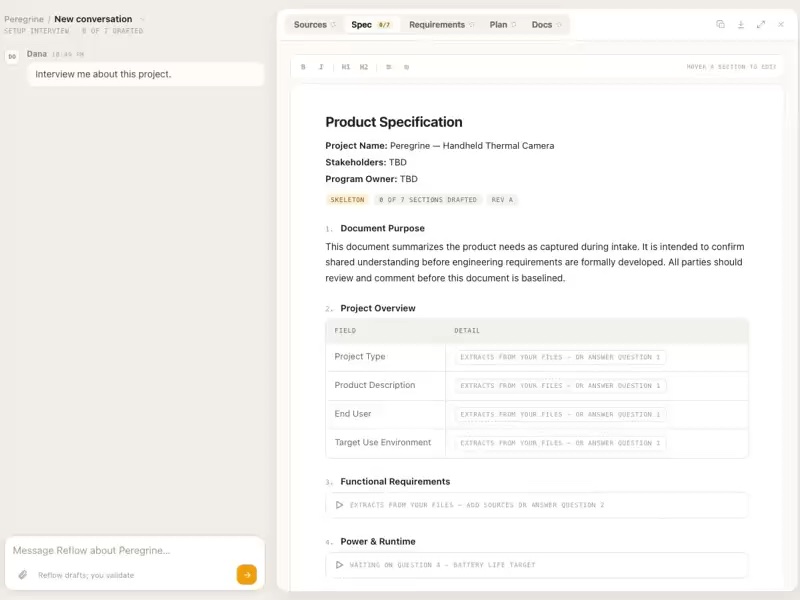
We settled the frame first: the conversation always on the left, the project’s documents on the right, tabs that keep context, an interview to start. I prototyped eight user stories in HTML and folded them into one build, which the team adopted in review.
- Month 1
The first pass
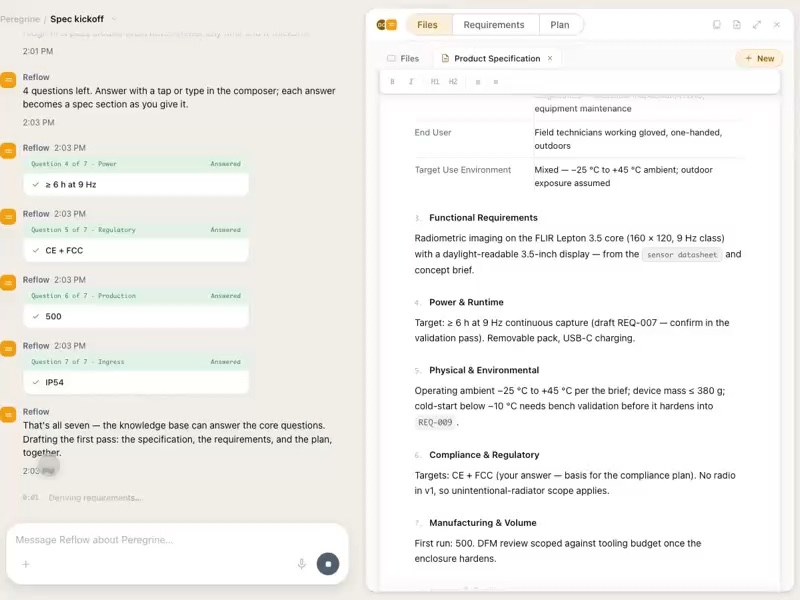
The gated ladder of steps came out. Reflow drafts the specification, requirements and plan together, rough where the material is thin, and asks before a new source changes anything.
- Months 2–3
A plan the team can share
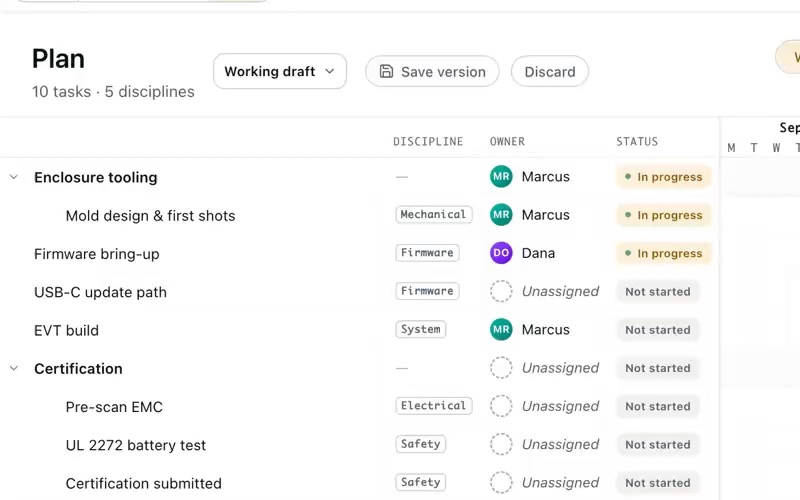
Start, duration and finish that can’t contradict, owners and status on every task, and saved versions of a shared working draft. Saving and viewing versions shipped in Reflow 0.17.
- Month 4
Requirements, level by level
Reflow reads the sources, asks what only the team can answer, then drafts requirements level by level in the team’s own hierarchy. These flows became engineering’s tickets for the hierarchy work.
- Next
Trace one requirement
The next step for the hierarchy, in concept: any requirement’s links open its trace, every level up and down with the owner of each, so the team knows who to talk to before changing it.
I really love this. It was very intuitive to me on opening up the first time.
Design principles
The rules under the conversation.
- 01
The view never moves on its own.
Reflow’s work arrives as cards and chips in the chat. Only a click changes what you’re looking at.
- 02
One voice.
You only ever talk to Reflow. Its sub-agents are its tools, never speakers in the thread.
- 03
Drafts are real content.
No dashed, provisional styling on what Reflow writes. Honesty lives in the words: TBD where it doesn’t know, validation before anything hardens.
- 04
Quiet chrome, honest words.
If a label couldn’t have existed before generative AI, it doesn’t belong in the interface. Reflow states its basis once, in the conversation.
How we work
Prototypes that need no instructions.
Each release starts as an integrated, clickable prototype with real state and product copy only: no tour, no annotations. The team uses the next version the way a customer would, and trusts it as buildable.
Then Reflow’s product lead and I break it into user stories with rules engineering builds from, written as what the person sees, and I keep the design system in step with production.
Outcome
In review, the team chose to build the integrated design in place of their next planned release. Since then it has moved into the product release by release: plan versions shipped in 0.17, the question drawer and task owners are in 0.18, and the requirements flows became engineering’s tickets.
Credits
- Role
- Product designer, freelance
- Worked with
- Reflow’s product lead, leadership and engineering team
- Work
- Conversation and workspace model, agent behavior rules, HTML prototypes, user stories, design system
- Built with
- HTML prototypes made with Claude Code; Claude Design
Peregrine, Dana Okafor and Marcus Reyes are the prototypes’ sample project and people. The opener’s motion is illustrative; its words and data are the prototype’s. The four capability scenes are rebuilt in code from the design wireframes on the same sample, with the consistency audit’s visual refinements applied; they are designs, not shipped screens.